
Your personal dbt agent, available wherever you work.
Prefer a fully hosted experience? dbt platform includes Wizard plus Studio, Catalog, and Insights. Book a demo →
curl -fsSL https://public.cdn.getdbt.com/dbt-wizard/install/install-wizard.sh | shThe AI agent built for the way analytics engineers work
Generic coding agents don't understand your data. dbt Wizard is grounded in it: lineage, grain, compiled state, tests, and metric definitions. Available wherever your team or you develop.

Knows your data, not just your code
Natively understands your full dbt project, so every change comes with full context on what's upstream, downstream, and at stake — and shows you exactly how the logic changed in the DAG.

Self-validates before you review
An opinionated workflow makes validation the default, so problems get caught before they ship, not after. Fewer production incidents, less time fixing what AI got wrong.

Governed and auditable by default
Every change is auditable and nothing ships without review. Keep a human in the loop to always know what changed, why, and who approved it.

Always calls the right tool
With high-precision tool orchestration, Wizard knows exactly which dbt-specific call to make and when

No context hunting. Less token waste.
dbt's native metadata engine retrieves exactly what the agent needs before it writes a line, so you get more accurate output while optimizing token spend.

Zero setup. Zero maintenance.
No MCP infrastructure to configure, no DIY system to maintain, no per-model bills to manage — just cost-efficient access to the best models. Connect and start shipping.
Join the Wizard Desktop private beta!
Run complex builds side by side, each safely isolated, in one always-open app. Preview code, data, and lineage before anything ships. Works with dbt Core too — no platform account needed.
One agent. Available wherever data work happens.
dbt Wizard works where you do. In the dbt platform or locally, it's grounded in your dbt project from the first prompt.
dbt Wizard gives your team a shared AI workspace inside the dbt platform, accessible from the browser with the controls admins need — no local setup required. Available in its own dedicated workspace and directly inside dbt Studio IDE.
Ship your best dbt work without leaving your workflow
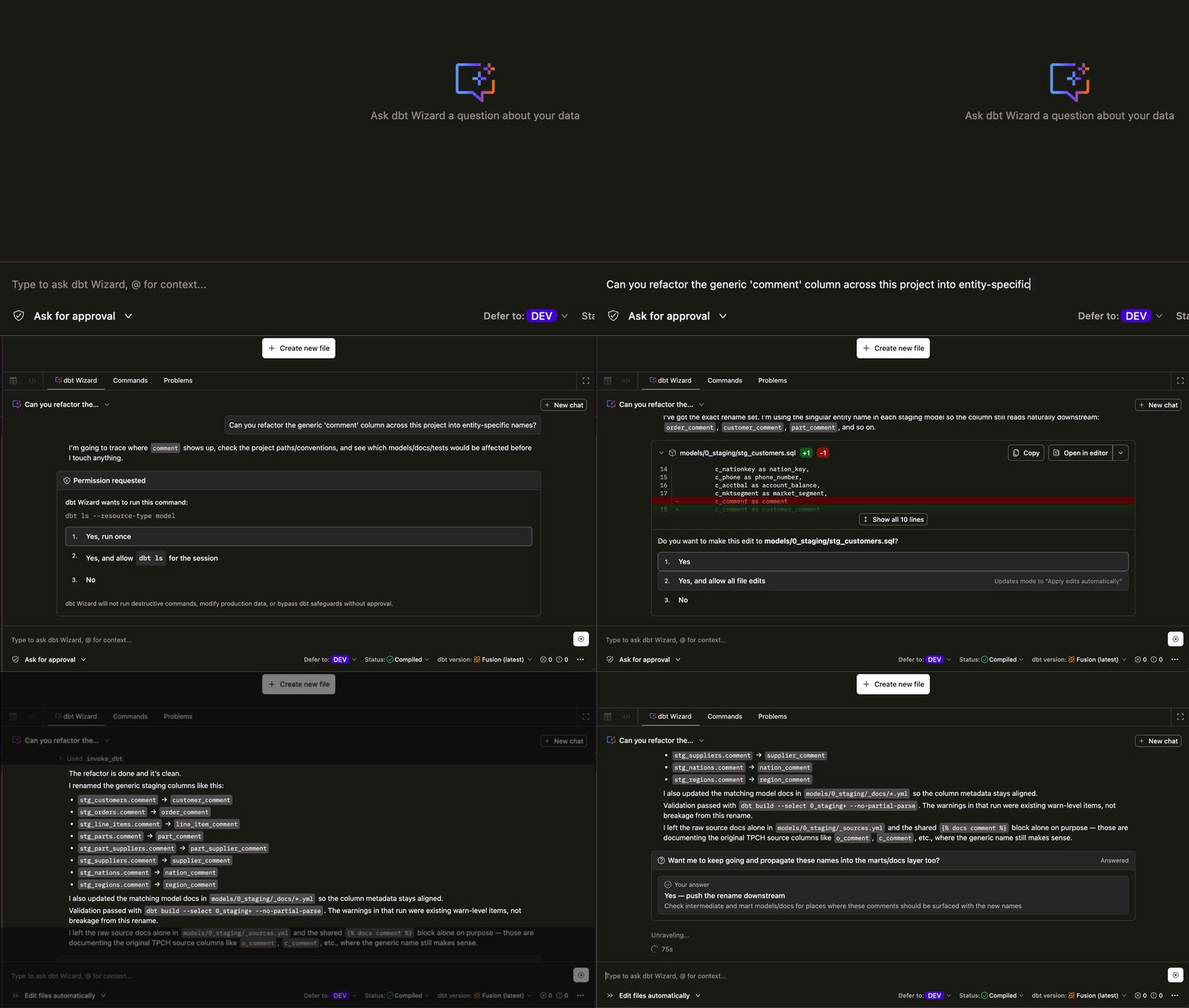
Refactor, build, investigate, migrate and ship. All grounded in your dbt project, all in one place.
Rename, restructure, and clean up — confidently
Describe your change and Wizard updates every file that needs to move...and shows its work. Rename a model and the refs follow. More efficient refactoring, without the risk.


Generate a new model without starting from scratch
Describe what you need. Get back a validated model, tests, docs, and semantic definitions. All at once. All grounded in your existing project. All available with dbt Wizard.
Find the root cause before it reaches production
Tell Wizard what broke and it traces your lineage, proposes a fix, and validates it before surfacing an edit for review. Investigation through to validation with dbt Wizard. Less time debugging, more reliable pipelines.

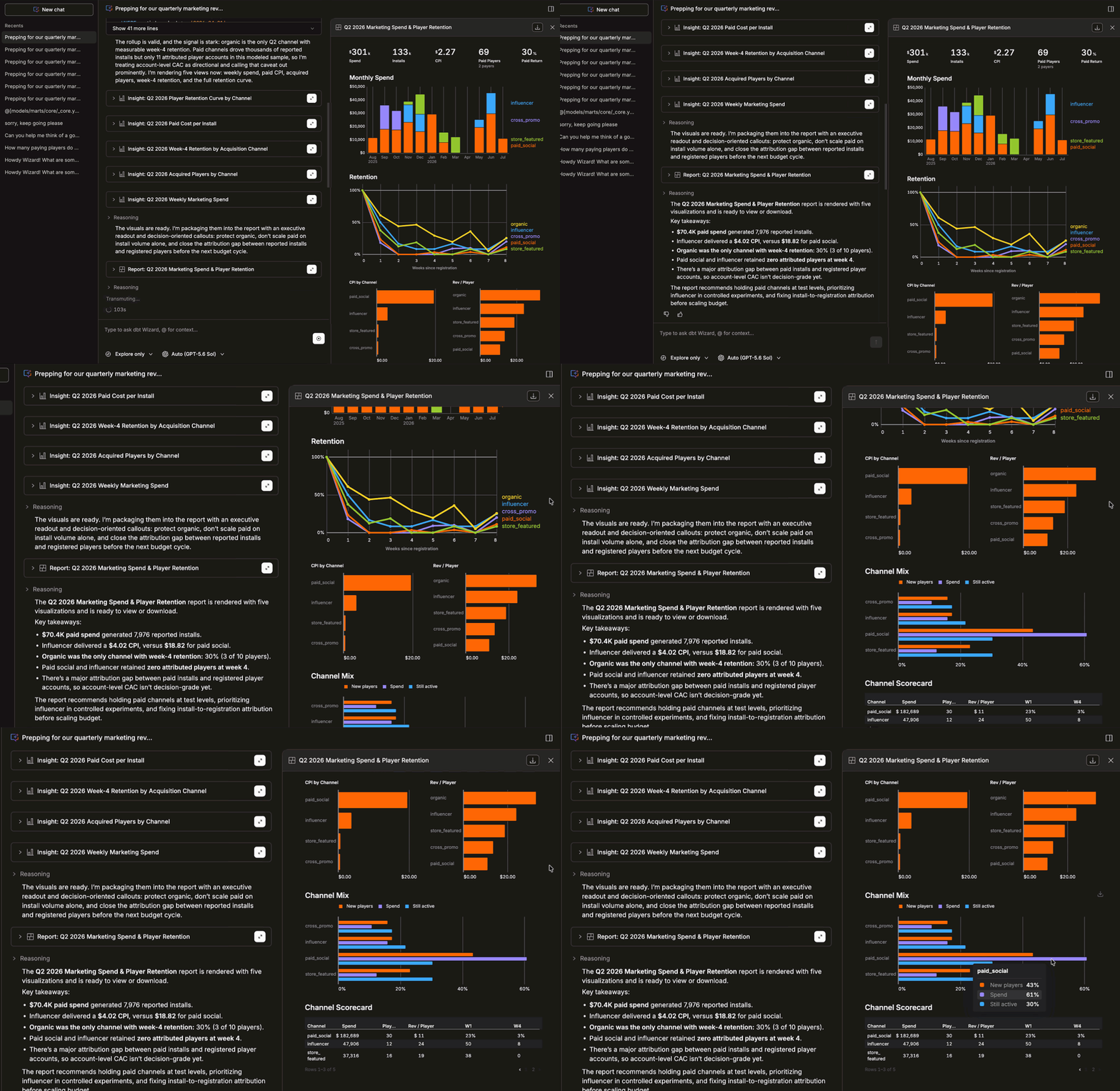
Ask questions where the data lives. Build better models.
Any business user can ask Wizard a question in plain language and get an answer grounded in the dbt project your team already maintains. Being this close to the project means it can also help surface where a model might need to change. Less disconnected analysis, more models that keep getting better. Available in public preview with dbt Wizard Explore Mode in dbt platform.
Every part of the job, without breaking flow
From migration to analysis to upgrades, dbt Wizard handles the work that slows teams down.

Move models without breaking dependencies
Describe what you're migrating and Wizard handles every ref, test, and YAML config — with a reviewable diff before anything saves.

Get answers grounded in your dbt data
Ask in plain language, get answers rooted in your defined metrics — traceable back to the models your team already trusts.

Fix Fusion conformance errors, automatically
Wizard reads your project, applies high-confidence fixes, and flags what needs your input. Get to Fusion faster with less manual effort.

"dbt Wizard is changing how we work. Instead of hand-coding everything, we draft logic with an agent that already has full context on our jobs and our codebase. No more finding and uploading a manifest file just to explain myself, that step used to slow down every request. Now we're pointing it at sales and marketing data too, so analysts get answers themselves instead of waiting on my team."
Farin Fukunaga Data Engineering Lead at Paylocity


